The most valuable IT skill you can learn in 2015: Splunk

Whether you want to move to security or just get a lot of job security and raise potential while staying in infrastructure, probably the best thing you can do for your career is to learn Splunk.

What’s Splunk, you ask? Well, my t-shirt says “Weapon of a security warrior,” but it really does a lot more than that.

I think of it as a centralized logging and alerting system, but really, because it can log and alert and draw graphs, it can replace almost any piece of management infrastructure. I asked, only ten-percent joking, why a Splunk shop needs to run anything else to manage itself.

Stand up Splunk, let it collect your logs and your performance data, and when something goes wrong, you have one place to look for the data you need to figure out what happened.

Fortunately, unlike many enterprise tools, you can run Splunk at home for free. Splunk offers a well-written 200-page book for free in all of the common e-book formats that provides a good introduction and a set of data to play with, and you can download the software itself from Splunk’s front page. You can then pull your logs from all of your desktops, and if you run DD-WRT, you can pull those logs as well, then practice learning what you can from that data beyond what’s in the book.

You will undoubtedly find some things when you start poking around, so even if you’re not able to get going with Splunk in your current role, you’ll end up with the war stories you need to get a Splunk-related role for your next job. Even if all you do is catch HD Moore and Robert Graham scanning you, your interviewer will be interested in hearing how you saw it and managed to figure out it was them.

Use this file to find out how much your antivirus is protecting you

Unlike some security professionals, I still regard antivirus as a necessity. It doesn’t catch advanced threats, and everything it does catch can be caught through other methods, but it is the most cost- and labor-effective way to catch the best-known, least sophisticated attacks. If you put a $100,000 incident responder to work hunting ordinary viruses, you’ll waste a lot of money on salary and quickly lose that incident responder to another company offering more interesting work.

Of course, there’s a great deal of discussion in the mainstream computer magazines about which antivirus is the best. I don’t agree with their methodology though–they might as well be looking for the longest 8-foot 2×4 at the home improvement store. Yes, you can probably find some variance if you get out a micrometer, but what have you accomplished?

SANS has a good real-world test to see how much protection your antivirus software is really giving you.

Read more

The downside of streaming music

There’s a new rule when it comes to security and privacy: If a service is free, then you’re the product.

Actually, come to think about it, the rule isn’t so new. I’m the product when I listen to the radio. Radio stations exist to deliver a product–namely, an audience–to advertisers, and the audience is different when you’re talking top 40 versus urban contemporary versus country versus classic rock versus alternative versus adult contemporary.

But when it comes to streaming music, the game changes a bit.

Read more

Why Johnny can’t patch

I’ve spent nearly 2/3 of my career dealing with Microsoft patches at one level or another, so when it comes to excuses, I think I’ve probably heard them all.

This diary entry from the Internet Storm Center has good answers to the most common objections. I think a two-day patch cycle may be overly aggressive, and I know it drives infrastructure folks nuts when CISOs read stuff like this and then say, “Patch my stuff in two days like this guy,” but most organizations can take his advice, and even if they slow it down to 30 days instead of two, they’ll still be in a better place than they are today.

Don’t patch your workstations last

Last week, I heard a webcast in which the presenter repeated some advice from 2004: Patch things like your financial systems first, and your workstations last.

Workstations need to be first. Read more

What you can learn about corporate networks from the Jeep hack

I’ve talked before about the infamous Jeep hack, but there’s more to learn from it than just that cars are vulnerable. The way Charlie Miller and Chris Valasek hacked the Jeep has implications for any computer network.

Read more

A guide for safe and private web browsing

Continuing in the theme I’ve been following for the last couple of days, here’s a guide to security and privacy with web browsers. Like the guide I linked to yesterday, I’m not sure I agree with it 100%–I think saying never use Internet Explorer is too absolute–but I do agree with the overwhelming majority of it, and if everyone did all of this instead of what they’re doing now, we’d be in a much better state.

And, on a somewhat related note, here’s a rundown of what Windows 10 changes in the way of privacy, and some recommendations, but here’s a hint: You’re going to want to type privacy into your Windows search bar, pull up everything related, and start shutting stuff off. Use your discretion, but chances are there will be several things. If nothing else, there are things that are appropriate for a Windows tablet that aren’t appropriate for a desktop PC.

Let’s get back to privacy and safety in general, whatever OS you’re running. Here are some highlights.

Read more

How I fixed a hacked website

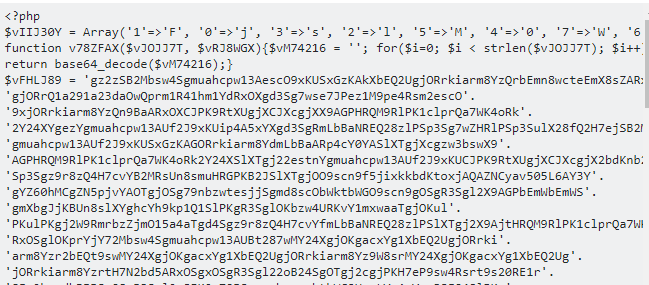
How I fixed a hacked website

Back in August 2015, my website started alerting. Investigation showed the site had been hacked. Here’s how I fixed my hacked website, in diary form.

Read more

Mechbgon’s guide to safe computing on Windows

Mechbgon.com, the same place that published the outstanding guide to application whitelisting I mentioned last week, also has a guide to general security when building Windows PCs.

I think he overvalues UEFI and Internet Explorer 10, but if everyone followed his advice, there’s no doubt in my mind we’d be much more secure than we are right now. Although I mildly disagree on a couple of points, he has some outstanding advice in there.

The guide hasn’t been updated for Windows 10 yet, but most of what he says, if not all of it, will still apply and won’t be all that different to set up.

Application whitelisting on Windows, even home editions

One of the very best things security measures you can take is application whitelisting–limiting the apps that are allowed to run on your computer.

The Australian Signals Directorate–the Australian counterpart to the NSA–says doing four things cuts security incidents by a whopping 85 percent. You probably do three of the things. The fourth is application whitelisting.

  • use application whitelisting to help prevent malicious software and unapproved programs from running
  • patch applications such as Java, PDF viewers, Flash, web browsers and Microsoft Office
  • patch operating system vulnerabilities
  • restrict administrative privileges to operating systems and applications based on user duties.

Read more